Resolver
A tool for adding pinned, element-anchored comments to live React apps for review.
Project
Personal R&D
Status
Published to npm as
resolver-review
Dogfooded on a real Next.js production product
My Role
Designer
Architect
Builder
Stack
Claude Code
TypeScript
React
Vite
Supabase
Vitest
Date
Q2 2026
Overview
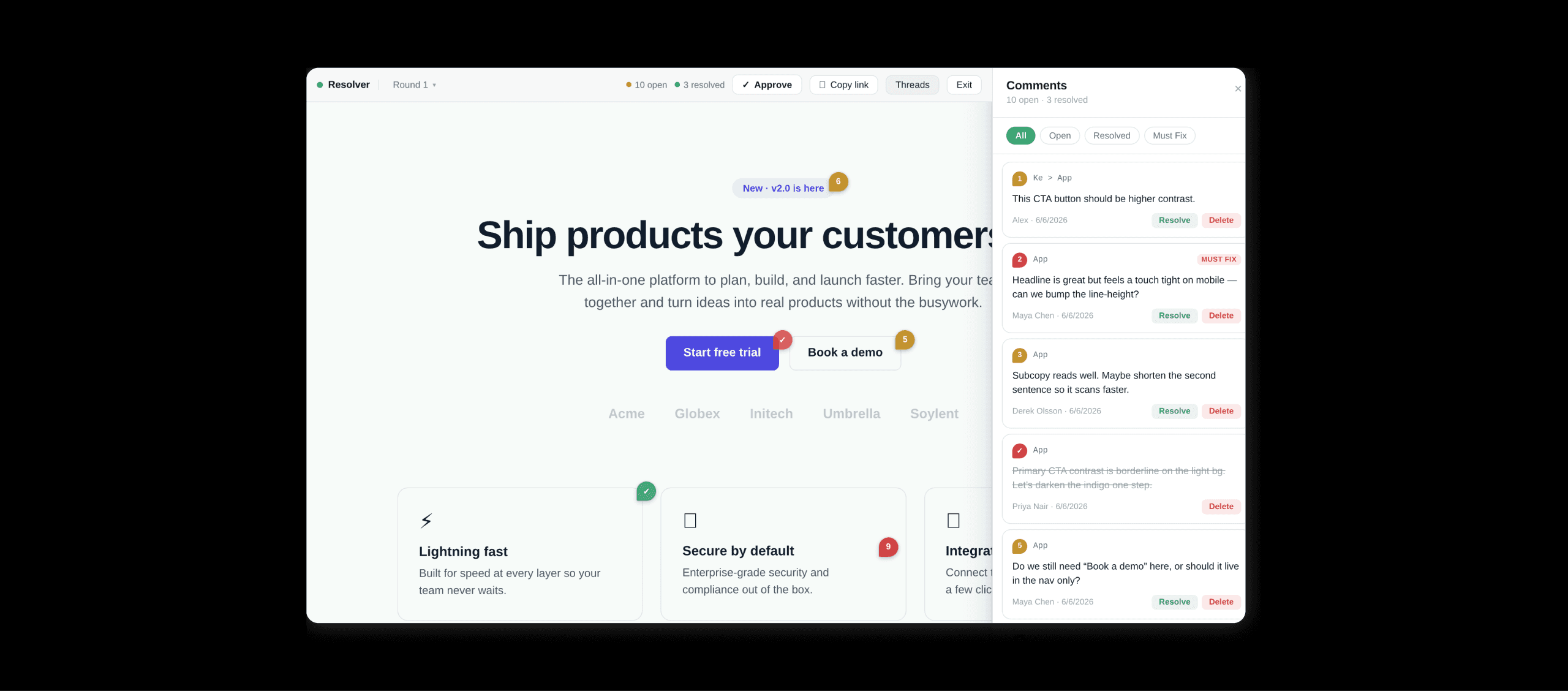
Resolver lets reviewers leave pinned comments on live React apps. It works like Figma comments, but on running software instead of a static file. The package wraps the host app in one line and ships with a built-in backend, so there is no setup beyond the wrap.
The reviewer doesn't need to install or log in. Feedback is grouped into rounds that named reviewers can approve, so each review cycle has a clear point of sign-off.
Wrapping a project in Resolver
Adding Resolver to a project takes one line. A <ReviewMode projectId="..."> wrapper around the app root, an npm install, and the integration is complete. The clip shows that step against a real Next.js project: install, wrap, save, refresh.
Leaving a pinned comment
Once review mode is on (via the floating toggle, the ⌘⇧R shortcut, or appending ?review=true to the URL), the running UI can have comments added directly by any team member.
Hovering an element shows the anchor. Clicking drops a pin. The pin opens a comment popover where a reviewer types feedback. The clip above walks through this on the dogfooded product with a pinned comment left on a specific control in the live application.
Multi-user comments
Two browsers open the same review link. Comments and pins appear in both as they're created, synced live via Supabase Realtime. Multiple reviewers can work on the same round at the same time without any setup or coordination beyond the shared link.
The problem
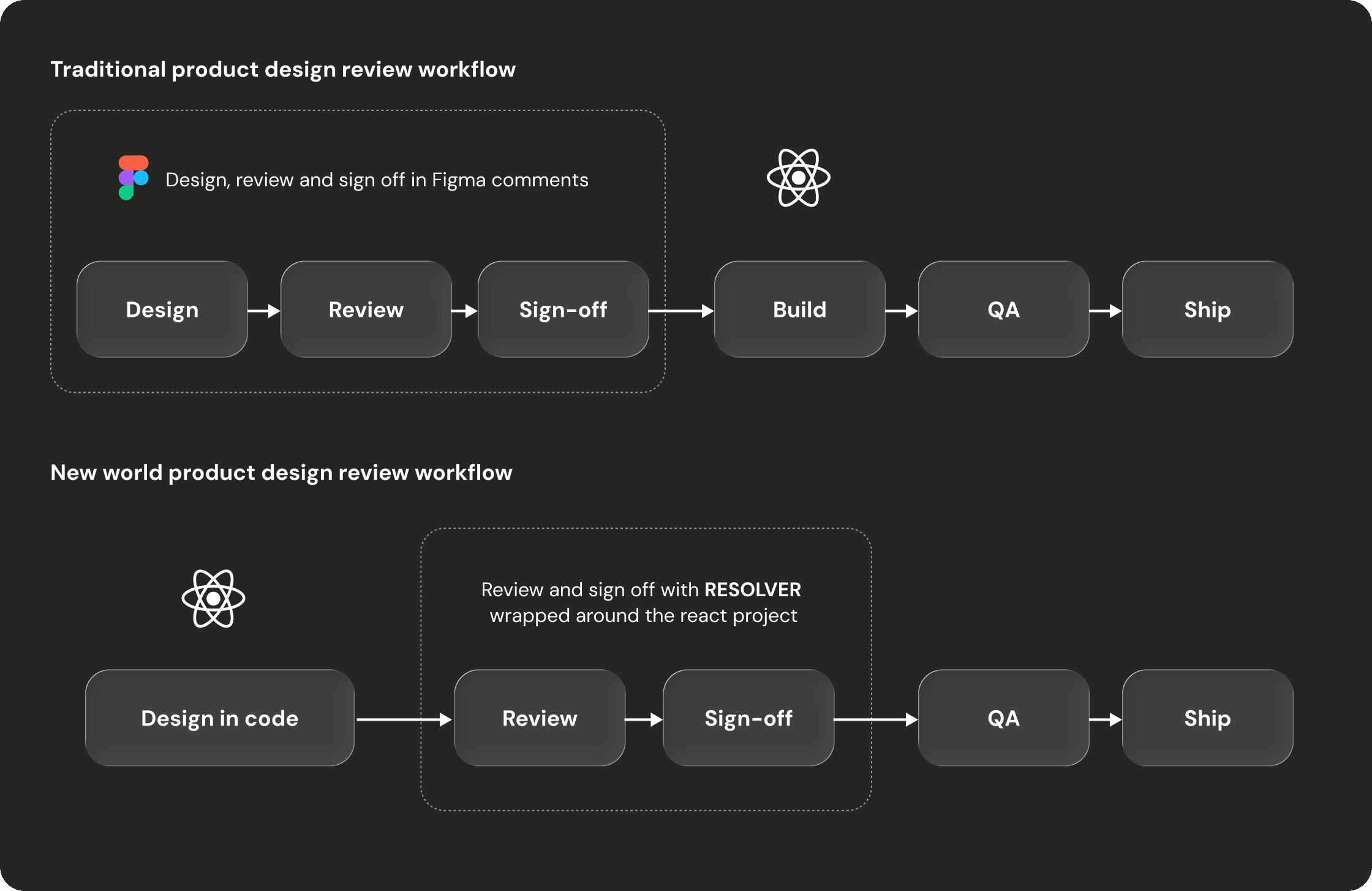
Designing in code is a step forward in almost every way except one.
The new world design workflow looks a bit like this: sketch on a canvas, then design in code with React components against the real design system in the actual codebase. It solves a list of problems that traditional handoff design has been stuck with for years. But it introduces a friction point that was solved in the old world, one that Figma had already nailed: review.
In Figma, anyone can comment on the file. Reviewers leave pinned, anchored, threaded feedback directly on the work. That capability is just there, part of the medium.
The moment design moves into code, that capability disappears. Review goes back to screenshots in Slack, Loom walkthroughs with timestamps, and descriptions like "the second card from the top". Review quality goes backwards even as the design workflow itself goes forwards.
Resolver was built to close that specific regression.
The insight
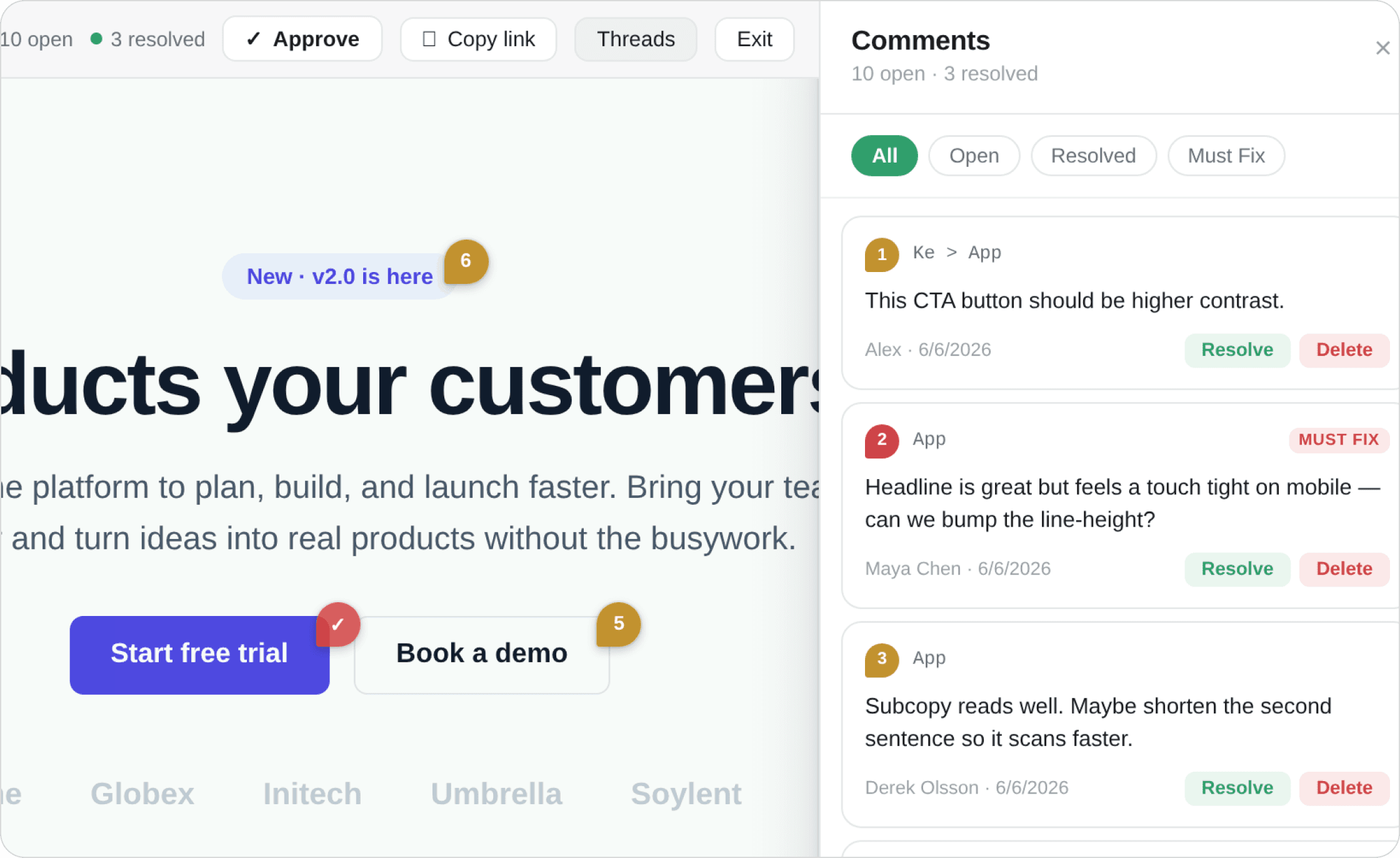
The two decisions that shaped how Resolver actually worked were what a comment would anchor to, and how a reviewer would get into the tool.
The anchor needed to attach to the real element rather than a screenshot or a verbal description. Without that, feedback drifts the moment the page reloads or the screen changes. In practice that meant element anchoring by React component path, with a CSS selector fallback for cases where the component path couldn't be resolved.
The other half was the reviewer's experience. Figma's review surface works because the reviewer doesn't have to set anything up. They open the file and leave a comment. For Resolver to match that, the path from receiving a link to leaving a comment had to involve nothing technical at all on the reviewer's side. The cost of getting Resolver running had to sit entirely with the developer integrating it, and the reviewer's path became opening the link, typing a name the first time, and starting to comment.
The defining decisions
The interesting part of building a tool like this isn't the commenting UI. It's the architecture decisions underneath. Four mattered most.
The split between reviewers and setters-up
Resolver has two audiences with very different appetites for setup, and treating them as if they were the same audience would have made the tool useless to one of them.
The developer integrating Resolver into a project can reasonably do some work. Adding an npm dependency, wrapping the app root in a component, and deploying are normal parts of the job. The reviewer at the other end of the link cannot do the same. In real use, most reviewers are non-technical or external, and any signup, install, or configuration step on their side means they don't engage. Even unfamiliar UI patterns can be enough to lose them.
The split between those two effort budgets sat behind almost every architectural decision that followed. Where work could be moved onto the developer's side of the line, it was.
From "bring your own database" to keyless backend
The biggest architectural shift over the project's life was moving away from requiring host apps to bring their own backend.
The first version (v0.1.0) required the host app to bring its own Supabase project, run the schema, and configure the keys. It worked, but it asked the developer to do a non-trivial chunk of backend setup before any review could happen, which directly undermined the zero-config behaviour the tool was meant to deliver.
The second version (v0.2.0) introduced projectId scoping so a single Supabase instance could serve many apps without their data colliding. That cut a lot of the setup down, but the developer still had to bring keys.
The third version (v0.3.0) removed that step entirely. Resolver now ships with a default Supabase backend baked into the package, so adding it to a project is one wrapper and no environment variables:
A developer can still pass an adapter to override the default and bring their own storage, but the default path is keyless.
One backend, many projects
A shared backend serving many host apps only works if those apps' data stays cleanly separated. The mechanism that makes this possible is projectId, a string the host app passes into the ReviewMode wrapper. Rounds, comments, replies, and approvals are all scoped to that string in storage, so two apps using the same shared backend with different projectId values can't see each other's review data.
The same scoping applies whether the host is using the built-in backend or has supplied its own adapter, which means the rest of the system doesn't care which is in use. That decoupling is what made the keyless wrap in v0.3.0 possible without re-architecting the data layer.
Rounds and attributed approvals
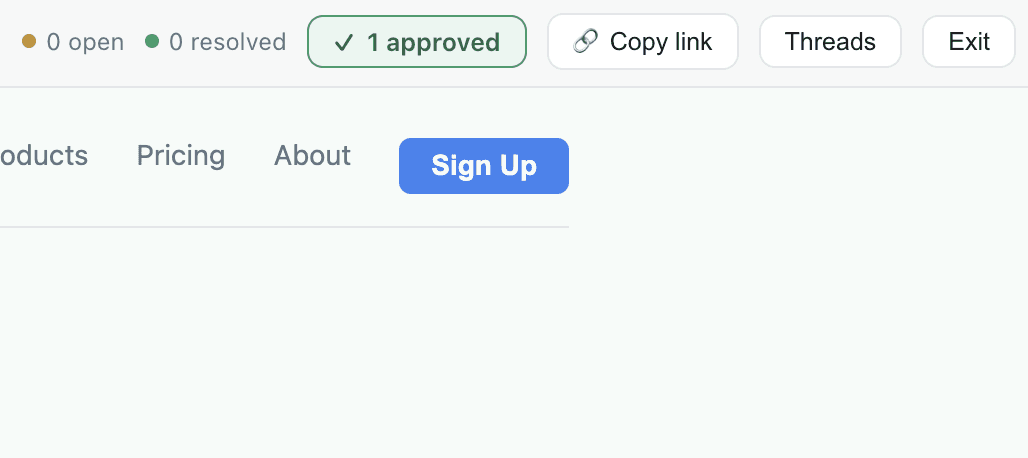
In real use, design review doesn't happen as a single open stream of comments. It happens in cycles, with each cycle ending in some kind of sign-off. Resolver models that explicitly through rounds. Starting a new round archives the previous one, so the comments tied to last week's review don't bleed into this week's. Each round can be approved by named reviewers, with their approval recorded against the round in the history as a record of who signed off and when.
The rounds-and-approvals layer was what turned Resolver from a comment widget into something teams could use as part of a review cycle. Without it, the tool can capture feedback but offers no structure for closing one review and starting the next.
Under the hood
Element anchoring
Comments are anchored using a two-level model. Where possible, the anchor is a React component path identifying the element in the tree. Where the component path can't be resolved, for example on a node that isn't itself rendered from a named component, the anchor falls back to a CSS selector.
The fallback means feedback survives most code changes, including renames and refactors that would break a selector-only approach.
Multiplayer
Real-time multiplayer is implemented through Supabase Realtime's subscribe() method on the SupabaseAdapter.
When two reviewers open the same review URL, each browser receives the other's pins and comments as they are created, which is what the browser-switching clip earlier on this page shows.
Shipped,
with honest tech debt
Resolver is shipped. Published to npm as resolver-review, currently at v0.3.0, MIT-licensed.
It's used in production on a real Next.js application, the Xertilox dashboard, where it sits behind the keyless wrapper. Adding it was a single line in the app root, and review mode works end-to-end against that running product.
Tests run on Vitest with jsdom; 22 currently pass, covering the LocalAdapter and the element-anchoring utilities. prepublishOnly runs typecheck, tests, and build before any version goes out. Bundle size was tightened by externalising @supabase/supabase-js as a peer dependency rather than bundling it, which dropped the package from roughly 688 kB to roughly 66 kB.
A number of real things still need work. The honest version of the case study includes them because they are part of where the tool is now.
Security model:
The built-in backend's Supabase URL and anon key are baked into the public npm package. Anyone who installs resolver-review points at the same shared backend. The anon key is designed to be public, but it means the backend is protected by Row-Level Security policies, not secrecy. Hardened policies are applied to the live backend.
projectId is an organisational boundary, not a security wall. An anonymous reviewer with a shared anon key could read another project's comments by guessing or reusing its projectId, so the model is appropriate for small trusted teams but not for cases that need real isolation.
Correctness / robustness:
Author identity is name-only. Two reviewers with the same name would collide on the "you already approved" check. No stable per-user IDs without auth.
projectId is free text. A typo silently routes comments to a different bucket.
Realtime replies aren't round-filtered (the replies table has no round_id, so subscribers receive all reply events and dedupe client-side).
Next.js App Router produces a non-fatal hydration warning where the client-only review UI renders over server-rendered content.
What's next (phase 2):
Designer accounts via Supabase Auth. Reviewers stay anonymous.
Projects become owned records. The harder part is the Row-Level Security that needs to serve both authenticated designers (who should only see their own projects) and anonymous reviewers (who need to comment on a specific project via a shared link). This builds on top of the existing projectId scoping rather than replacing it.
Adding an identifier to a pin that shows who it is from, maybe their initial.
Resolver is something I use on real work day to day, and it's also a place where some of the thinking behind the new world design workflow gets to live in a tangible form. Publishing it openly, with the rough edges visible, felt more in line with what it actually is than dressing it up as something more finished.